5 Ways To Detect A Phishing Email Messages

See the source image

Phishing is not a new phenomena; it has long been the most prevalent attack vector for hackers. However, as phishing scams become more complicated, learning how to recognize a phishing email is more vital than ever.

Despite advancements in anti-virus protocols and detection technology, the quantity and severity of phishing assaults continue to rise. In today’s cyberwar environment, everyone is a target, but by training your employees to recognize phishing and respond effectively to phishing attempts, today’s targets can become tomorrow’s key defense sentinels.

Understanding a phishing Email is the first step of recognizing it

A phishing email is one that is sent to a recipient with the intent of getting them to execute a specified task. To make their email appear authentic, the attacker may employ social engineering techniques, such as including a request to click on a link, open an attachment, or disclose sensitive information such as login credentials.

The most harmful are socially engineered phishing emails. They’re made to appear real and relevant to their intended audience. The recipient has a higher level of trust in the email and completes the task specified in it. It’s possible that the consequences will be catastrophic. An attacker can get unnoticed access to a corporate network if the recipient clicks on a link to a malware-infected website, opens a malicious attachment, or discloses their login credentials.

Examples of phishing Email

  • Legitimate businesses do not ask for critical information over email

If you receive an unsolicited email from an organization that includes a link or attachment and requests sensitive information, it’s probably a fraud. Most businesses will not send you an email requesting passwords, credit card information, credit scores, or tax identification numbers, nor will they provide you a login link.

  • Legitimate businesses will normally address you by your first name

“Dear valued member,” “Dear account holder “or” Dear customer” are common salutations in phishing emails. If a corporation with whom you do business needed information concerning your account, the email would address you by name and most likely direct you to call them.

However, other hackers just do not use the salutation at all. This is especially true in the case of advertisements. It’s almost perfect in every way.

  • Domain emails are used by legitimate businesses

Don’t only look at the person’s name that sent you the email. Hover your cursor over the ‘from’ address to see their email address. Make sure there haven’t been any changes (such adding more numbers or letters). Take a look at the differences between these two email addresses to see how they’ve been altered: [email protected] [email protected] Keep in mind that this isn’t a perfect procedure. When sending emails, some firms employ unique or diversified domains, and some smaller businesses use third-party email providers.

Five Ways to Detect Phishing Email

Due to their sophistication, socially engineered phishing emails frequently elude detection by email filters. They have the necessary Sender Policy Frameworks and SMTP restrictions to pass the filter’s front-end checks, and they’re rarely delivered in bulk from blacklisted IP addresses to avoid Realtime Blackhole Lists blocking them. They can even elude detection from powerful email filters with Greylisting features because they are often individually created.

Phishing emails, on the other hand, have a lot in common; they’re usually designed to elicit emotions like curiosity, pity, fear, and greed.

  • Emails requesting immediate action

Phishing emails frequently threaten a negative outcome or a loss of opportunity unless immediate action is taken. Attackers frequently use this tactic to compel recipients to act before they have had a chance to examine the email for defects or contradictions.

  • Emails with grammatical and spelling errors

Another indicator of phishing is poor grammar and spelling. To ensure that outgoing emails are grammatically correct, many companies use spell-checking programs by default. Web browsers with autocorrect or highlight functions are used by those who utilize browser-based email clients.

  • Emails with an Unfamiliar Salutation or Greeting

A casual salutation is commonly used in emails between coworkers. Those that begin with “Dear” or contain terms not commonly used in casual conversation are likely from sources unfamiliar with your company’s workplace interaction style and should raise suspicion.

  • Email address, link, and domain name inconsistencies

Finding anomalies in email addresses, URLs, and domain names is another approach to detect phishing. Is the email from a company with whom you’ve had a lot of contact? If this is the case, compare the sender’s address to earlier emails from the same company. Hover the mouse pointer over a link to see what pops up to determine if it is real. Report an email as a phishing attack if it appears to come from (say) Google but the domain name is something else.

  • Suspicious Connections

Collaboration solutions like SharePoint, OneDrive, and Dropbox are now used for the majority of work-related file sharing. As a result, internal emails with attachments should be regarded with caution – especially if the extension is unexpected or is usually connected with malware (.zip, .exe, .scr, etc.).

5 Reasons Why SMS Has Higher CTR

See the source image

Is SMS Marketing more effective than other forms of marketing? This may appear to be a trendy topic among marketers all over the globe. The majority of marketing channels have been around for decades, but the growing use of mobile devices has significantly altered how marketers view these possibilities in their marketing strategies.

SMS marketing is a well-known method of reaching out to end users with precise and focused messaging. Below is a compilation of statistics that compares SMS marketing to other forms of marketing in order to give you a sense of their present status as a viable marketing strategy.

Open Rate

90 percent of SMS marketing messages are opened.

Other types of marketing have a 30 to 35 percent open rate.

These figures offer no room for discussion, as your customer is almost certain to see your SMS message.

It’s all about the quantity.

The fewer the text messages, the better.

The more emails or advertisements you send, the better.

This is something we don’t have to consider twice. Consider how you handle your messages and emails. If you receive emails from the same address frequently, there’s a good chance you’ll just open them once. Nobody tolerates undue disruption when it comes to messages. The purpose of a text message is to convey important information in a concise manner, which is exactly what people expect from marketing messaging.

Nature of the SMS/Campaign

For text messages and any other type of marketing, the message’s nature is critical. For example, if you want to send your consumers an offer or a discount, SMS Marketing is the way to go. When it comes to discounts and deals, no other medium of marketing will have the same impact as SMS messaging.

CTR (Click-Through-Rate)

SMS marketing’s click-through rate (CTR) is 40%.

Other types of marketing have a CTR of 7 to 10%.

Because of the widespread usage of mobile phones in the industry, every marketer is taking SMS Marketing seriously. Mobile phones, like data bundles, are affordable and accessible to everyone.

As a result, the likelihood of the end-user visiting the link delivered through message, assuming it is relevant to their interests, is much higher currently than it has ever been.

Regardless of what you say, an SMS will always find its way into the inbox of your customer. Finally, it is safe to state that SMS marketing outperforms all other methods. Have you given it a shot yet?

Conclusion

Right away, SMS marketing is more effective than practically any other channel. Even unoptimized SMS campaigns can outperform even the most well-designed email efforts. Subscribers are well worth the effort, even if you have to jump through a few hoops to get them.

SMS can blast anything else out of the water with a little tweaking and the appropriate moment. However, you must respect the customer and adhere to the channel’s rules. Your marketing efforts are doomed, just like any other channel, if someone considers your messages as spam.

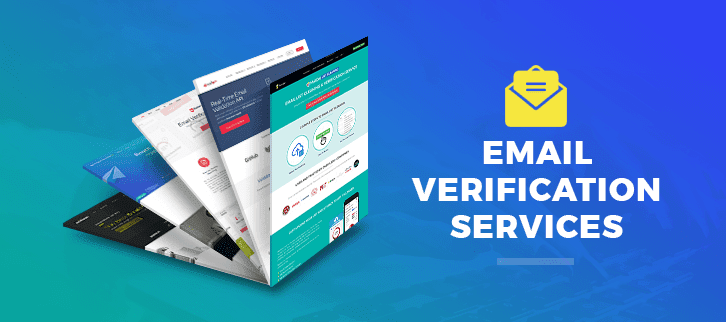
5 Free Email Validation Service

See the source image

Sending emails to spam or invalid addresses can result in bounces, spam-trap hits, and bounces, thus having a clean email list is essential for your email marketing campaign. As a result, your email provider may begin to place your emails in spam folders or perhaps ban them entirely.

You can upload your dirty email list and use these free online bulk email verifiers to distinguish the spammy and harmful emails from the legitimate ones.

To import your email list, email verifiers accept a variety of file types, including CSV and Excel. After that, they go through the verification process to see if the email is legitimate. Multiple tests, such as MX records verification and SMTP server validation, are used to verify email addresses by these services.

  • QuickEmailVerification
  • Bounceless
  • Email List Validation
  • NeverBounce
  • Mail Box Validator
  1. QuickEmailVerification

QuickEmailVerification is a free bulk email validation tool that allows you to validate 100 emails every day (1 credit = 1 email). After you sign up for a free account and upload your email list, QuickEmailVerification will run a series of checks, including syntax validation and mailbox existence. After the processing is complete, you can download a file containing legitimate emails for improved deliverability.

QuickEmailVerification is the greatest alternative for you if you want a cheaper and free service because it has the most free credits. To receive the free credits, you must first create an account. Best of all, when compared to the other services on our list, it has a high level of accuracy in authenticating Yahoo and Outlook emails.

Features:

  • Anti-greylisting software
  • Checker for MX records
  • Correction of an error in an email
  • Checker for all types of emails
  • Create a custom email verification list and get the results.
  • Report on in-depth verification
  • Old verification email lists are automatically deleted.
  • API turnaround time is short.
  1. Bounceless

Another free bulk email validator on this list is Bounceless, which offers 100 free credits per day. To verify emails, Bounceless runs frequent checks such as SMTP and MTA validation.

It’s quite simple to use this tool. Sign up for a free account using the link above. Then, in any accepted format ; CSV, XLS, TXT, etc.  upload your email list and begin the email verification process.

You can obtain the clean list with the most accurate findings after the validation procedure is completed.

Features:

  • MTA validation Accept All account validator Spam-trap check
  • Checker for syntactic errors
  • Validation of SMTP
  • Validation of the risk
  • Email checker that can be thrown away
  • Developers will benefit from API support.
  1. Email List Validation

Email List Validation is an online bulk email verification tool with a lot of features. It’s one of the most effective email verification services on the market. It can help you improve email delivery, sender reputation, data quality, and overall email marketing ROI.

The best feature is that it cleans up your email list by removing invalid and hard bounce email addresses from your database. All you have to do now is upload your email list and wait for it to clean it up for you by running various tests.

Additionally, all duplicated email addresses and email addresses with incorrect syntax are immediately erased. This program also eliminates suspicious emails that could be used as a spam trap. In addition, email addresses with defunct or invalid domains are erased.

It also allows you to collaborate with your team members. The service encrypts your information at a high degree. Additionally, they are GDPR compliant.

Features:

  • Syntax Verifier for Disposable Email Checker
  • Email verification in real time
  • Spam-trap elimination is 99 percent accurate when it comes to email duplication.
  • Validation of MTA
  • Team account support for numerous ESPs and CRMs Anti-greylisting technology
  • GDPR-Compatible
  1. NeverBounce

NeverBounce is one of the best and most dependable bulk email verification services on the market, with 99.9% accuracy. It has a feature that I like: it gives you 1000 free credits for validating emails once. As a result, if you have a list of less than 1000 emails to clean, you may do so for free with NeverBounce while maintaining great quality and security.

Features:

  • Verification of hybrids
  • Validation of the mail server
  • Check the status of your domain
  • Detection of high-risk situations
  • International B2B and B2C email compatibility
  • SMTP check for domain, network, host, and TLD
  • Emails based on identity roles and free hosts
  • Remove any emails that are duplicates from the list.
  1. Mail Box Validator

Another email verification service on this list is MailboxValidator, which has a free plan that you may use to clear your email data. The free plan, on the other hand, is extremely limiting, as you only get 100 free email addresses to verify. You can, however, use its API plans to gain additional free credits if you know a little programming.

You’ll get 600 free API queries for email verification per month with its API plan. Isn’t that fantastic? Use this simple tutorial to send emails with Python and integrate the MaxValidator API into the scripts to verify the emails of the fly.

Features:

  • Validation of email syntax
  • Check the MX Record
  • Role-based email checker is a free service that checks the status of your email server.
  • Accounts-as-a-whole checker
  • Validation of the domain
  • Greylisting Checker for Email
  • Check your email provider for free

Final Thoughts

This brings our list of 5 free email validation tools to a close. Use these to clean up your email database so you can start sending emails again without fear of being blacklisted by your email provider.

Why Is Link Building So Vital to Your Marketing Plan?

See the source image

Link building is still an important aspect of SEO that you must include in your content marketing strategy. In fact, according to a recent Google Search Quality Strategies survey, link building and quality content are the two most important signals for website ranking. So, why is link building so vital?

  • Make Vital Links
  • Can Boost Referrals
  • Builds Your Brand
  • Rapid site indexing
  1. Make Vital Links

Link building is essential for forming business relationships with other companies in your niche. By linking to similar or related sites, you not only build relationships with businesses, but also reach a larger audience. Those customers will connect your products and services to other great niche products and services. This will help you expand your business and reach a larger audience. Building relationships with similar businesses can help you share ideas on how to better serve your clients.

  1. Can Boost Referrals

An effective link building campaign will increase traffic to your website. The use of high-quality leads from high-domain authority websites can help you find new customers. Your high-quality content will be linked to other reputable websites in your industry if you use a quality link building service. This can help your Google and other search engine rankings.

  1. Builds Your Brand

Link building has been proven to help you become an industry authority. Finding high-authority sites to link to has been proven to help build your brand. Creating high-quality content and linking it to industry-relevant sites can help you market your business and build your brand. According to a Moz survey, link building is the best way to improve your visibility. With more visibility, you can establish yourself as an industry expert and gain customer trust.

  1. Rapid site indexing

Site indexing is the process Google bots go through to gather information from websites to add to their index. The data collected helps Google rank each website on its pages. High-quality information collected by bots linked to reputable sites ranks higher on Google’s search engine. Google must index your site on its pages for people to find it.

Building the link can help you grow your business online. More high authority links pointing to your site means more customers can find you. Building links is one of the best ways to increase your site’s visibility and traffic.

How to Avoid or Reduce Email Bounce

See the source image

Follow these steps to prevent email bounces and spam folders.

  • Verify and update your email list
  • Beware of spam triggers
  • Create a permission-based email list
  • Track email deliverability and performance.
  • Send engaging content
  1. Verify and update your email list

As an email marketer, you must first verify all recipients’ email addresses. For example, you can use free or paid email verification software like ZeroBounce, Bouncer, Bounceless.io, Debounce, Snovio, Emailable, Clearout, etc.

  1. Beware of spam triggers

Avoid using spammy words, phrases, or links. With advanced spam filtering, your recipients can prioritize content and protect their inboxes from unsolicited emails. “30% off, Free offer, Act now, Click here, Great offer” are some phrases that may land you in the spam/junk folder. Contrary to popular belief, readers are unlikely to open emails with misleading subject lines.

Keep your email flow consistent, including frequency, subject lines, and audience segmentation. If all else fails, ask your recipient to whitelist you.

  1. Create a permission-based email list

To reduce bounce rates, get the recipient’s permission before sending emails. Use the double opt-in method. Simply enter your email address in an online signup form and you’ll get new subscribers. An email confirmation with a link is required for double opt-in. They’ll be added to your list once they click the link and verify their email.

Use a preference center that allows recipients to choose what emails they want to receive, how often, and whether they want to opt out. This will improve your sender reputation and reduce bounces.

  1. Track email deliverability and performance

Keep track of your email performance by tracking click-through and open-through rates. A few soft bounces are normal, but constant and close monitoring is required. If a recipient doesn’t open or respond to your emails for a long time, you should consider removing them from your list.

  1. Send engaging content

Your marketing efforts impact your brand image, and the quality of your email marketing campaign impacts its success. Create content that your readers will want to read. Use catchy subject lines and email colors, but not to the point of being clickbait or manipulative. Bounce rate reduction will help build your brand image.

Constant Contact vs Mailchimp

See the source image

Email marketing is one of the most effective digital marketing strategies, but it requires the right software. The right software to create and manage your campaigns requires some research.

Constant Contact and Mailchimp are two of the top email marketing solutions on the market, and they both offer a wide range of features to help you succeed. Comparing these two platforms with your company’s specific needs in mind will help you decide which is best.

Constant Contact vs. Mailchimp: Reporting

Constant Contact’s reporting and analytics are managed via a dashboard that displays sends, bounces, open rates, and click rates on one simple graph.

Mailchimp’s extensive reporting suite includes a dashboard where you can compare your campaign’s open and click rates to benchmarked open rates. Because you can’t hide certain metrics from different audiences, it can be overwhelming to see everything at once. The Revenue tab reports allow you to add statistics about campaign traffic and revenue generated by integrating Google Analytics.

Constant Contact vs. Mailchimp: Audience Management

A contact can be segmented in Constant Contact’s list building feature. This feature is easy to use, but not so easy to organize. To automate segmentation, you can choose from a list of pre-made segments or create your own. The platform’s tagging feature also allows you to quickly label contacts in any way you want.

It also allows you to create landing pages with CTAs and use robust multivariate to better understand your audience. Because the tagging and segmentation features are so advanced, it may not be the best solution for those looking for something simple.

Constant Contact vs. Mailchimp: Pricing

Constant Contact doesn’t offer a free plan, but it does offer a 30-day free trial. The platform’s tiered pricing is based on the number of contacts on your list:

  • Email: $20 monthly minimum
  • Email Plus: $45.00

Mailchimp’s pricing is more complex, but it’s likely more affordable for many small businesses:

  • Free: 10,000 emails to 2,000 contacts per month
  • Basics: $9.99/month
  • Regular: $14.99/mo
  • Premium: $299/mo

Constant Contact vs. Mailchimp: Design Tools

Constant Contact’s design suite allows you to drag and drop email campaigns. You can also use pre-made templates to make your emails look more professional. HTML editing allows you to edit the code directly. With Constant Contact’s design tools, you can create engaging landing pages and custom sign-up forms to collect subscribers’ data.

In comparison to Constant Contact, Mailchimp is simpler to use. Mailchimp comes with polished templates that can be customized with drag-and-drop. You can also use blank templates to start from scratch. Alternatively, Mailchimp’s HTML editor with code import gives you complete design control. Convertible forms and landing pages are also available.

In Summary

Both platforms are very similar. You can see how each email tool has unique features and functionality to help you create and manage your email marketing lists and campaigns.

Usability and functionality are superior in Mailchimp. This is the best option for those on a budget who need advanced reporting, automation, and A/B testing.

More than just email marketing, Constant Contact is priced accordingly. Constant Contact may be ideal for you if deliverability rates, ease of use, and customer service are important to you.

Why Every Company Needs a Target Audience

See the source image

Knowing your audience better allows you to craft messages that will entice new customers. That’s where defining your target audience comes in handy for strategizing. Conversely, if you don’t know who the receiver is, you risk wasting your time and energy.

No target audience means no branding strategy. Then how will you know what your brand should look and feel like? Read on to learn what a target audience is and how to find yours.

  • What Is a Target Audience?
  • Finding Your Target Audience
  • Benefits of Defining Your Target Audience
  • In Conclusion

What Is a Target Audience?

The target audience is quite straightforward to define. It is a term that refers to a group of individuals who are likely to become customers of a particular business. This potential customer segment is typically similar in terms of age, gender, socioeconomic status, location, education, interests, and purchasing intent.

Identifying your target audience allows you to create targeted marketing campaigns. This saves you resources used to cater to every consumer. Targeting everyone often means not getting your message across, so it’s critical to target those most likely to buy from you.

Men, women, teenagers, and children are some examples. Interests like shopping, sports, and cooking are common. Getting past basic demographics can help you better understand your target demographic. Understanding their role in the buying process will help you approach them effectively.

Finding Your Target Audience

Knowing your target demographic helps you create more compelling campaigns. But how do you know who your advertising is for? The best way to identify your target market is to define their needs. You can better target your product or service by identifying the pain points.

When identifying your target demographic, be as specific as possible. This way, your ads will reach the right people. The steps below will help you find your target audience.

  1. Google Analytics

People nowadays spend more time online. In fact, most consumers use Google to find products and services like yours. Google Analytics collects extensive data on your site’s visitors. This data can help you figure out where your audience is coming from and what content they like best. Making data-driven content strategy decisions will help you optimize your website and increase online visibility.

  1. Market Research

Data collection is essential when targeting your ideal customer. It will also help you identify market gaps that your product or service can fill. This knowledge will help you create more compelling ads that highlight your market niche and target those most likely to be interested in what you have to offer. It will also help you choose the best channels to communicate.

  1. Insights From Social Media Analysis

It’s easier to find someone when you know who they are. It will also show you how your target audience interacts with your content on social media. They’ll also tell you what matters most to your audience and what drives their purchases. To create relevant content for a more personalized marketing experience.

  1. Examine Your Current Customers

One of the best ways to define your target audience is to look at your current customers. You can quickly determine who your marketing efforts should target by looking at those who have shown genuine interest in your product or service and purchased it. It can reveal your target audience’s age, location, interests, and more. Keep an eye out for their social media interactions, or send out customer surveys through your website to learn more about them.

Benefits of Defining Your Target Audience

Defining your target demographic helps you advertise more effectively. Knowing who you’re talking to and how to reach them is critical to not wasting resources. While speaking to the general public can be useful at times, focusing on a specific demographic allows you to stay focused and directly reach potential customers.

Here are the main benefits of knowing your target audience:

  1. Determines the type of content to be created

Knowing your audience helps you create better content. Directing your messaging to potential customers will help you increase sales. So before deciding what to say, how to say it, and where to say it, you must first determine who will receive it.

  1. Ensures that you market to your target audience

Without a clear understanding of your target audience, you risk directing your marketing efforts in the wrong direction. This will impede the progress of your strategy and may result in resource waste.

  1. Directs your marketing plan

Knowing your target audience enables you to focus your marketing efforts more effectively. It will enable you and your team to determine the most effective channels for spreading the word about your products and services.

In Conclusion

Marketing success requires targeting a specific demographic. It helps you focus your time, money, and other resources on those most likely to buy from you.

Your brand’s growth depends on knowing who your target audience is.

How to Create an Enterprise Website

Creating an enterprise website is a complex process that requires upfront planning and strategy. Existing enterprise websites can have thousands of pages of content or even hundreds of microsites, making redesigning their design and information architecture difficult. Building an enterprise site from scratch also requires foresight to plan for situations and use cases that may not have occurred yet.

Working with enterprise clients has given us a unique perspective on what works and what doesn’t when designing digital experiences for them. Listed below are a few proven strategies.

  • Acquaint yourself with user personas and internal stakeholders
  • Be unflinchingly user-centric
  • Prioritise mobile
  • Focus on content depth and layout

Acquaint yourself with user personas and internal stakeholders

Understand your target audience before you can be relentlessly user-focused. At the enterprise level, this audience is likely diverse, with people coming from all over the country or the world, with varying roles and functions, and with varying goals. In order to design your site to meet your audience’s needs, you must identify and isolate the most important segments of your audience.

Internal stakeholders will also help shape the site’s architecture and design. Diverse stakeholders bring valuable insight into what customers want and need from the site experience. Marketing versus sales, or operations versus HR, for example, will have different perspectives. Seeing these differences will help you see where the biggest opportunities are.

Be unflinchingly user-centric

When planning a redesign or even a new site build, it’s easy to prioritize telling a story over telling the information your users need to hear.

While your website is the online face of your company, it must do more than just look good. Remember that your website exists to serve your users. Every website decision should be based on whether or not the end result benefits users.

Ask yourself what more you can do to exceed the user’s expectations, make their experience more enjoyable, and ensure they leave the site with a positive impression of your company, having achieved their goals.

Prioritise mobile

Every business with a website knows that the mobile experience is as important as the desktop experience. Mobile usability is essential for search visibility.

From the user’s perspective, poor mobile usability indicates that the brand either doesn’t care or is stuck in an era where desktop was the only thing that mattered. If left unchecked, these assumptions erode user trust, reduce site conversions, and harm your brand’s image.

It’s easy to see how designing mobile experiences, and especially retrofitting existing desktop experiences for mobile, becomes more difficult as content and navigation layers increase. But prioritizing mobile is worth the effort to keep users happy and boost sales. This is true for both B2B and B2C.

Focus on content depth and layout

Enterprise content needs are typically complex. As discussed previously, you must target specific user groups with specific content flows.

In terms of content, aim for a balance of breadth and depth. Too broad content lacks focus, while too narrow a strategy risks alienating users who don’t see their questions or needs addressed. Too much detail will lose your audience. You don’t go deep enough.

Almost as important as the content you create is how you present it to users. Remember that online attention spans are shrinking, so assume that most people won’t read or watch your content all the way through. Create content layouts that are easy to skim and highlight key points.

In Conclusion

With a little strategic planning and a well-executed process, creating effective digital experiences for enterprises is well within reach.

By focusing on the user’s needs and asking what will make the experience faster, more efficient, and more satisfying, you can build something that will engage and delight users of all sizes.

Top 9 Affiliate Programs

See the source image

The digital sector has grown rapidly around the world. The pandemic increased internet users and creators. 90% of businesses went digital, allowing the general public to earn more money. Easy and effective online money making methods are often sought. But they end up with nothing worthy. There are many ways to make money online, but most of them require extreme skills that not everyone can acquire quickly.

However, affiliate marketing may help. Affiliate marketing is one of the most lucrative fields for the general public. It is a low skill business if you devote a lot of time to it. Almost every large company runs affiliate programs to increase revenue and income for affiliates.

But again, which affiliate program is best for high commissions?

See, big companies like Amazon, Bluehost, Upstox, payment apps like razor pay, Paytm, etc. run affiliate programs. Choosing the best among them is difficult. However, we have researched the top ten affiliate programs for you.

Now let’s look at the affiliate programs:

  • Hostinger
  • Bluehost
  • Semrush
  • Amazon
  • Fiverr
  • Razorpay
  • Elementor
  • Shopify
  • eBay

Hostinger

Hostinger is another hosting and domain company that offers free affiliate programs to the public. You can also begin affiliate marketing with Hostinger. Sign up, track your stats, get affiliate banners, and pay out are the 4 steps to affiliate marketing. Hostinger affiliate program has a personalized manager, high conversion rate, and an easy to use portal.

Bluehost

Bluehost offers web hosting and domains. It has hosting options for both large and small businesses.

Become a Bluehost affiliate and earn money. You must first join their affiliate program. Bluehost will pay a commission on every hosting sale made through your link. Bluehost’s affiliate program is free. The best feature of Bluehost is that you get full-time support from their affiliate marketing team. Bluehost affiliate program offers promotional campaigns to increase your personal revenue.

Semrush

Semrush is an SEO tool for improving website rankings. It is a leading SEO tool with advanced features for creators. But even if you’re not a blogger, Semrush can pay you.

Anyone can join Semrush’s affiliate program. Semrush’s advanced features go beyond SEO. Semrush also has one of the best affiliate programs.

Affiliate marketing programs brought to you by Semrush’s partners at impact radius You get paid when someone buys a paid tool on Semrush using your link. Every sale made through your link earns you $200.

Amazon

One of the best affiliate programs is Amazon’s. You must join Amazon’s affiliate program by providing certain information. You can Google “Amazon affiliate program” to get the link to that page.

Create your own website and sell Amazon products on it. From your link, you will earn a commission on each sale made on Amazon.com. If you provide your affiliate link, customers can buy directly from you. You get a cut of every sale made through your link. Amazon pays a healthy 6-10% commission depending on the product’s price and demand.

Fiverr

It is one of the best freelance websites today. Everyone can use Fiverr. Fiverr also allows you to start freelancing for free. But Fiverr isn’t just for freelancers.

It has an affiliate program to make money. Signing up for the affiliate program gives you access to Fiverr’s marketing tools, educational courses, tracking tools, and more. Also, Fiverr’s affiliate program is simple to use. It’s as simple as driving traffic to Fiverr’s website. It’s all yours.

Fiverr pays up to $1000 for each new customer you refer. The actual commission rate depends on your lead’s Fiverr activity. It is a lifetime passive income source.

Razorpay

Razorpay is a payment gateway. It provides a wide range of payment options. Razorpay includes all other digital wallets that offer a seamless user experience.

The Razorpay affiliate program allows you to earn money by referring its products. Plus, you get a 0.1 percent transaction fee. Razorpay also offers affiliate training.

Razorpay offers three types of affiliate programs. Partners: Reseller, Aggregator, and Platform. Sign up, refer, complete Kyc and integration, Earn money. Yes. A lifetime 0.1 percent transaction commission plus Rs 500 for every sale made through your link.

Elementor

Elementor is a fantastic WordPress page builder plugin. It is a great WordPress plugin for creating beautiful pages and textures.

You can use Elementor to make money besides WordPress. Elementor’s affiliate program allows you to earn money passively. Sign up for their affiliate program and start promoting your link. To earn money, you can share on social media, write blogs and include links, make videos, and email links.

Every subscription made through your affiliate link earns you 50% commission.

Shopify

Shopify, the best e-commerce site builder currently, has one of the highest paying affiliate programs. It has a huge affiliate network earning money. Shopify also provides educational content to affiliates to increase overall revenue.

Shopify helps you track leads to improve your affiliate campaigns. Shopify’s commission structure is dynamic and offers unlimited earning potential.

eBay

eBay is a consumer-to-consumer e-commerce website. It is the industry leader. The eBay affiliate program is also one of the best in 2021. Become an eBay affiliate by signing up for the program.

It’s free to join and start sharing. You can even edit your product listings to promote and earn money.

An eBay partner program manager will review and approve your application within a few hours (if you are eligible).

Every sale made through your link earns you 4% commission.

Optimize Your YouTube Channel Using Keyword Research

See the source image

We’ve all heard that YouTube is the second-largest search engine with so many users. YouTube keyword research is the method of determining which keywords are most frequently searched by your target demographic. As a result, it aids marketers in locating target audiences. YouTube SEO includes relevant keywords, popular content, and increasing viewer retention. This article will therefore focuses on YouTube keyword research.

Video content has a phenomenal audience engagement rate. So, if you want more views, subscribers, and traffic from YouTube, start by searching for the most popular keywords. Keyword optimization is an important part of YouTube SEO. It’s important to keep in mind that YouTube’s algorithms value audience retention over SEO.

YouTube Search Insights: Easy YouTube Keyword Research

With YouTube search insight tools, keyword research on YouTube is a breeze. YouTube has introduced this feature to help you keep track of all the searches made on YouTube, which will help you create content based on popular themes. Also, YouTube searches provide information on audience search preferences, approximate search volume, and content gap.

YouTube Keyword Tool in 2022

YouTube keyword research is an SEO strategy to gain more marketing advantages. The following is a list of YouTube keyword research tools that stunning mesh considers a compass for finding the best list of keywords to drive more and more audiences:

vidIQ

  • Keywords Tool
  • Tube buddy
  • Keyword Everywhere
  • Ahrefs
  • vidIQ

As a YouTube-certified partner, this tool provides accurate YouTube SERPs with suggested tags. Keywords searched since YouTube’s inception.

1. Keywords Tool

This tool has a complete YouTube autocomplete keyword program that uses data to help marketers sort out popular search terms. Marketers can then create a YouTube strategy based on consumer interests.

2. Tube buddy

This tool is also regarded as a tech novice’s paradise due to its simple yet effective multiple functions. Tube Buddy is a great tool for those who cannot afford it. Each tool has its own features.

3. Keyword Everywhere

Unlike other tools, this one provides Chrome and Firefox extensions. It brings to your data with suggestive phrases and tags. Associated with search volume, CPC, and competition.

4. Ahrefs

A popular and easy to use YouTube keyword tool. For various keywords covering up to 171 countries. With data results, it can also help generate keywords. That show highly related keywords and phrases to your relevant term.

Finally, YouTube keyword research has become much simpler. YouTube search insights to help create content that viewers want to see. Analytics of YouTube searches reveals more about the YouTube audience’s needs. This allows the content creator to plan ahead. It will not only target the most relevant keyword but also the audience’s keen minds.